Drafting and Prosecuting Patents with AI: A Glossary of Key Terms (2026 Edition)
.png)

AI is no longer experimental in patent practice. In 2026, AI patent drafting software and AI office action response tools are increasingly embedded across drafting, prior art search, and prosecution strategy. But while AI tools are evolving quickly, the legal foundations of patent drafting and prosecution remain grounded in precise terminology.
Understanding how AI systems support law firms and in-house counsel requires clarity on the core concepts that shape patentability analysis, examiner review, and claim strategy.
This glossary explains the essential terms used in AI-assisted drafting and prosecution—and how modern platforms apply them in practice.
Why Terminology Still Matters in AI-Assisted Patent Practice
AI does not replace patent doctrine. Instead, it operationalizes it.
Whether using an AI patentability analysis platform, an AI patent drafting assistant, or an automated office action response software, the quality of outputs depends on structured understanding of:
- Claim scope
- Novelty and inventive step
- Prior art mapping
- Examiner reasoning
- Amendment strategy
For corporate IP teams and law firms evaluating AI platforms, understanding these foundational terms is critical to assessing defensibility, compliance, and strategic value.
Core Drafting Terms in AI Patent Workflows
Claim
A claim defines the legal boundaries of a patent right. It specifies the elements that must be present for infringement to occur.
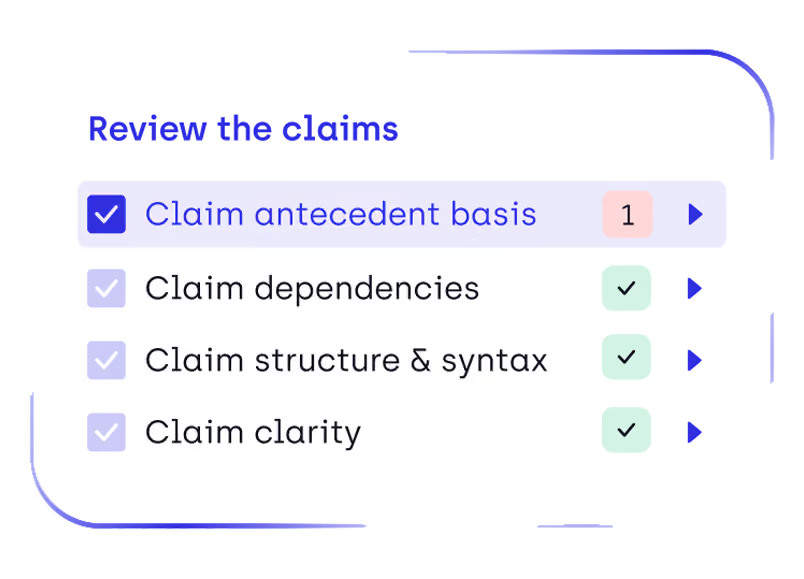
In AI-assisted drafting, claims are analyzed structurally—including dependencies, scope breadth, and term consistency. Advanced platforms apply examiner-style logic to evaluate clarity, antecedent basis, and potential 35 U.S.C. §102 and §103 vulnerabilities.
AI does not “write claims” autonomously in a defensible workflow. Instead, it assists attorneys by:
- Highlighting structural weaknesses
- Flagging ambiguity
- Mapping claim elements to prior art
- Suggesting alternative formulations for scope optimization
Independent Claim
An independent claim stands alone and does not reference another claim. It defines the broadest protection sought.
AI patent drafting tools often evaluates independent claims for:
- Overbreadth relative to known art
- Missing essential technical features
- Terminology inconsistencies
- Functional claiming risks
Because independent claims drive prosecution strategy and portfolio strength, AI-based review systems increasingly focus examiner-style analysis on these claims before filing.
Dependent Claim
A dependent claim incorporates all limitations of a previous claim and adds further restrictions.
In AI-supported drafting workflows, dependent claims are analyzed for:
- Redundancy
- Strategic fallback positioning
- Hierarchical logic
- Continuation potential
Modern systems help attorneys evaluate whether dependent claims meaningfully strengthen prosecution resilience or merely add drafting bulk.
Specification
The specification describes the invention in detail, enabling a person skilled in the art to practice it.
AI drafting assistants support specification development by:
- Ensuring consistency between embodiments and claims
- Identifying unsupported claim language
- Checking terminology alignment
- Highlighting potential enablement risks
In life sciences and chemistry, structured data handling is particularly critical, especially where sequence listings or chemical structures are involved.
Core Prosecution Terms in AI Office Action Analysis
Office Action
An office action is a formal communication from a patent examiner explaining objections or rejections to a patent application.
AI office action response tools analyze:
- Rejection types (102, 103, 112, etc.)
- Examiner citations
- Claim-to-reference mappings
- Amendment impact scenarios
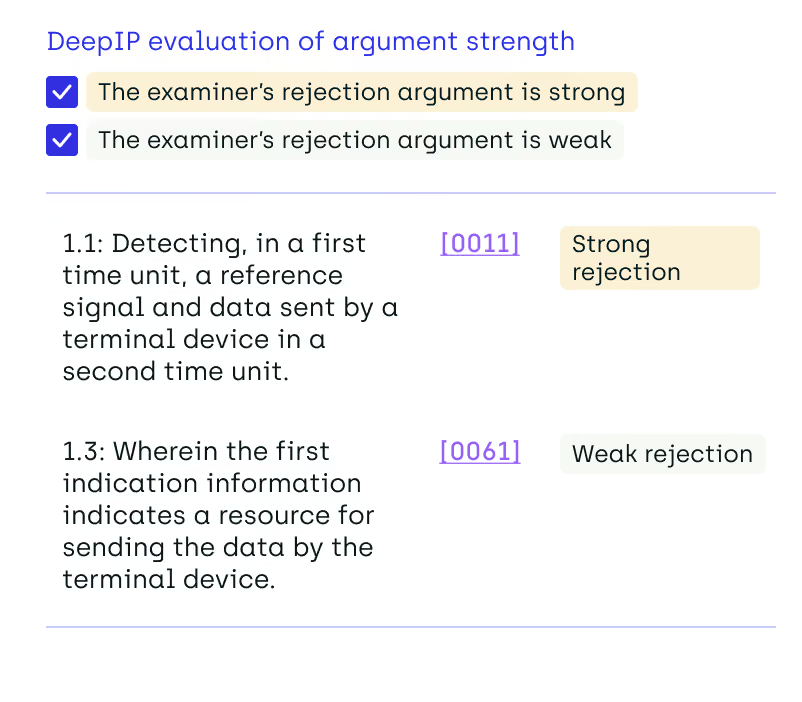
Rather than auto-generating arguments, sophisticated systems provide structured analysis that helps attorneys respond strategically.
Novelty (35 U.S.C. §102)
Novelty requires that a claimed invention is not identically disclosed in prior art.
AI patentability review tools evaluate novelty by:
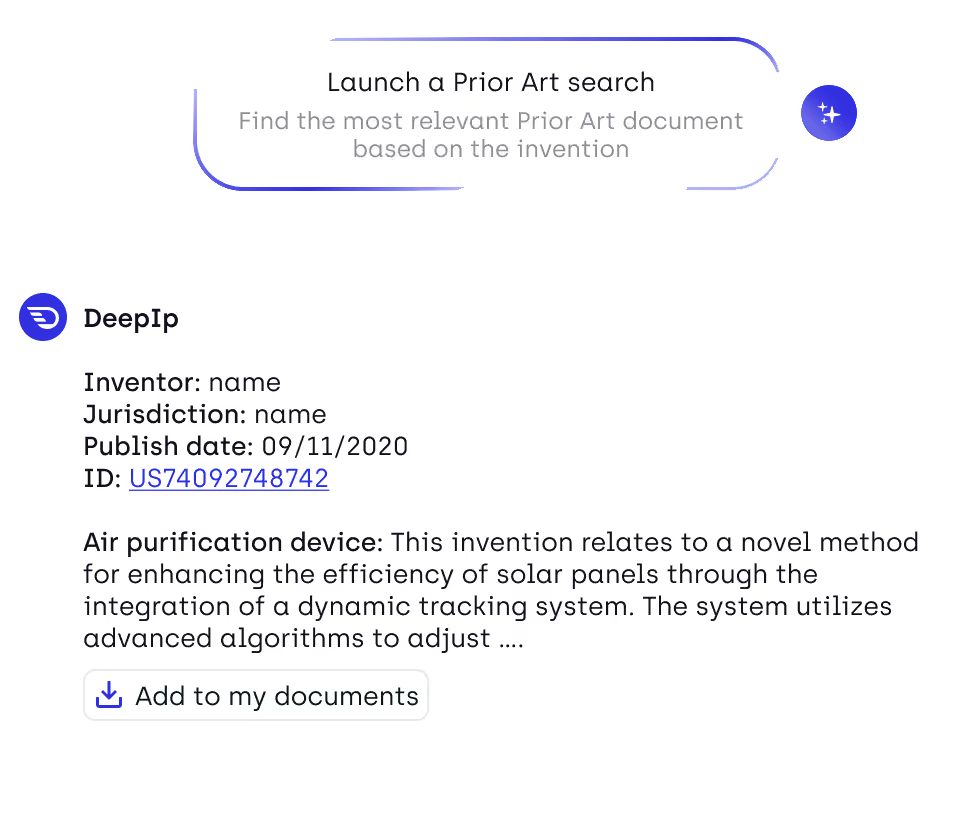
- Performing semantic prior art searches
- Mapping claim elements to reference disclosures
- Highlighting potentially anticipatory passages
In chemistry and biotech, this may include structure-based or sequence-based search capabilities.
Inventive Step / Non-Obviousness (35 U.S.C. §103)
Inventive step requires that the claimed invention would not have been obvious to a person skilled in the art.
AI examiner-style patent review increasingly focuses on:
- Combining prior art references
- Identifying motivation-to-combine arguments
- Detecting common obviousness rationales
This allows prosecution teams to anticipate examiner reasoning before filing.
Claim Amendment
A claim amendment modifies the scope of a claim during prosecution.
AI-assisted workflows can model:
- How amendments affect claim breadth
- Whether amendments introduce new matter risks
- How changes impact infringement potential
- Portfolio-level consistency across related filings
Integrated platforms allow prior art intelligence to persist across amendment cycles.
Prior Art
Prior art includes any public disclosure relevant to the claimed invention before the effective filing date.
Modern agentic search for patents goes beyond keyword search. It applies semantic and structural understanding to:
- Interpret technical concepts
- Analyze claim language
- Surface relevant non-patent literature
- Identify cross-domain references
In life sciences, this may include chemical structure search, sequence search, and formulation-based retrieval.
How AI Applies These Terms Across the Patent Workflow
While these terms are foundational, the strategic shift in 2026 lies in how AI integrates them across the patent lifecycle.
1. Patentability Analysis
AI systems evaluate novelty and inventive step early, reducing downstream prosecution risk.
2. Drafting Support
Claims and specifications are analyzed structurally before filing, improving clarity and consistency.
3. Examiner-Style Review
Pre-filing review models how an examiner may interpret claim scope and prior art.
4. Office Action Strategy
Rejections are mapped systematically, enabling structured response preparation.
5. Portfolio Intelligence
Prosecution data feeds broader analytics, helping corporate IP teams evaluate:
- Filing quality
- Examiner patterns
- Amendment frequency
- Portfolio resilience
This integrated approach distinguishes true AI patent workflow software from standalone generative tools.
How to Evaluate AI Tools for Patent Drafting and Prosecution
As AI patent drafting software and AI office action response tools become more common, patent professionals face a new challenge: distinguishing between generative writing tools and structured legal analysis platforms.
When evaluating AI tools for patent drafting and prosecution, consider the following criteria:
1. Structured Claim Analysis (Not Just Text Generation)
Does the system analyze claim dependencies, antecedent basis, and scope consistency?
Or does it simply generate fluent patent-style language?
Defensible patent workflows require structural logic, not surface-level drafting.
2. Prior Art Integration Across the Workflow
Can prior art intelligence persist from patentability analysis through prosecution?
Standalone tools often treat search, drafting, and office action response as separate steps. Integrated platforms allow prior art mapping to inform claim drafting, amendment strategy, and portfolio decisions.
3. Examiner-Style Review Capability
Does the system model how an examiner might interpret claims under §102 or §103?
AI examiner-style patent review can identify obviousness combinations or clarity risks before filing, reducing prosecution cycles.
4. Amendment Impact Visibility
When claims are amended, can the platform assess how scope shifts relative to cited references?
Strategic prosecution requires understanding how amendments affect both allowance probability and enforcement strength.
5. Data Security and Confidentiality
Patent applications involve sensitive technical disclosures. AI systems used in drafting and prosecution must provide secure environments that protect proprietary information.
6. Portfolio-Level Intelligence
Does the tool provide visibility across related applications, continuations, and prosecution outcomes?
Modern AI patent workflow software increasingly connects drafting and prosecution data to portfolio analytics.
The Strategic Shift: From Drafting Assistance to Workflow Intelligence
The real transformation in 2026 is not that AI can generate patent language. It is that AI can apply structured, examiner-style analysis across drafting, prosecution, and portfolio decision-making.
For law firms and corporate IP teams, understanding these core drafting and prosecution terms remains essential. AI does not change patent law—it changes how efficiently and strategically those principles are applied.
FAQ: AI in Patent Drafting and Prosecution

What is AI patent drafting software?
AI patent drafting software assists attorneys in preparing patent applications by analyzing claim structure, identifying terminology inconsistencies, and mapping claims to prior art. Advanced systems incorporate examiner-style review rather than simple text generation.
Can AI respond to office actions?
AI tools can assist with office action analysis by mapping rejections, identifying cited passages, and modeling amendment impact. However, legal argumentation and final strategy remain the responsibility of qualified patent practitioners.
Does AI replace patent attorneys?
No. AI augments attorneys by improving efficiency, consistency, and analytical depth. Strategic judgment, legal reasoning, and client advisory responsibilities remain human-driven.
How does AI reduce patent prosecution time?
AI reduces prosecution time by identifying claim weaknesses before filing, structuring rejection analysis, and maintaining persistent prior art intelligence across amendment cycles.
Are AI-generated patent claims legally defensible?
Defensibility depends on attorney oversight. AI can assist in drafting and review, but legal responsibility rests with licensed practitioners who ensure compliance with jurisdictional requirements.
.avif)